Disney+ Hotstar Download for PC is useful for people who want to watch movies, TV shows, sports, and other programs on a larger screen. On a Windows computer, you normally do not need a special desktop app. The official service works through supported web browsers. In India, Disney+ Hotstar became part of JioHotstar in February 2025, so Indian users may now see the JioHotstar name instead.
Disney+ Hotstar Download for PC: What You Need to Know
The easiest way to use Hotstar on a computer is through its official website. You can open Google Chrome, Microsoft Edge, Mozilla Firefox, or Safari, sign in to your account, and start streaming. This method does not require an Android APK, emulator, or unknown Windows installer.
The service you see can depend on your location. In India, JioStar launched JioHotstar on February 14, 2025, combining JioCinema and Disney+ Hotstar. People in other countries may still see Hotstar or another Disney streaming service based on local availability and content rights.
Can You Download Disney+ Hotstar on Windows PC?
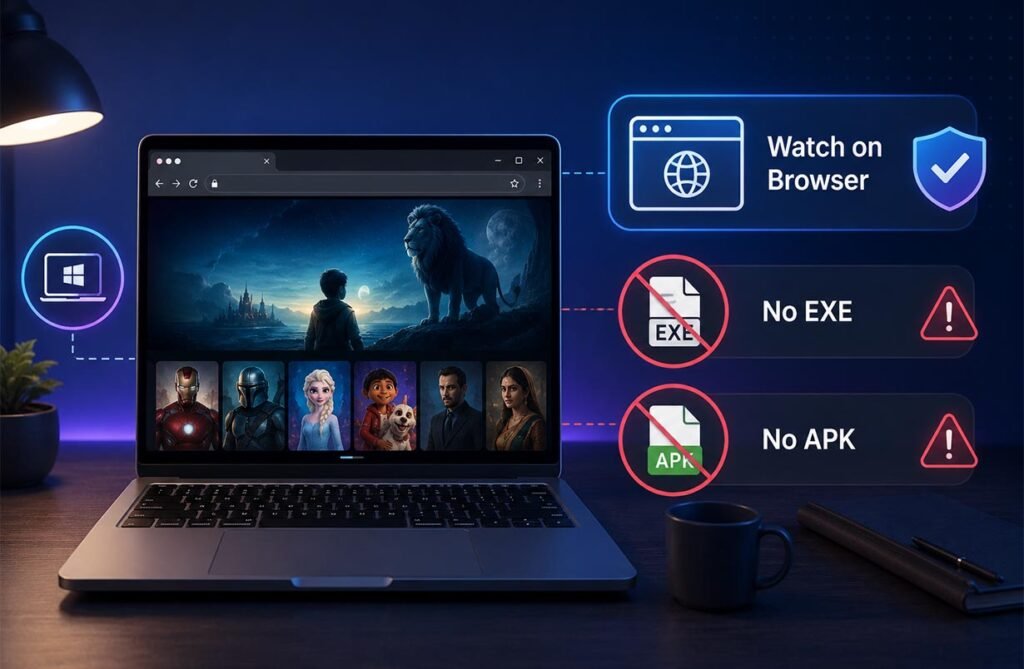
Many users look for Disney+ Hotstar Download for PC because they expect to find an EXE or Windows installation file. However, the official desktop method mainly uses a web browser. This means you can watch supported content without installing a separate Hotstar program on your computer.
This approach is also safer. Some third-party websites offer modified APK files, cracked apps, or unofficial PC installers. These files may contain malware or unwanted software. For normal viewing, use the official website and keep your browser updated.
How to Watch Disney+ Hotstar on PC for Free
First, open a supported browser and visit the official Hotstar or JioHotstar website for your country. Sign in with your account details and choose the movie, show, or sports event you want to watch. Playback will run directly inside your browser.
Some content may be available without a paid subscription, but premium movies, shows, sports, and better viewing options may require a subscription. “Free” should not be understood as free access to every paid title. Plans and available content can also change with time and location.
Disney+ Hotstar for Windows 10 and Windows 11
The Disney+ Hotstar Download for PC process is almost the same on Windows 10 and Windows 11. Hotstar’s support information lists Windows 10 or later among its supported desktop requirements. This means modern Windows computers should meet the basic operating system requirement.
For the best experience, keep Windows and your browser updated. Older software may have problems with protected video. Streaming services use security systems to protect copyrighted movies and shows, so an outdated browser may show playback or unsupported-device errors.
Supported Browsers and PC System Requirements
Hotstar supports popular browsers such as Chrome, Firefox, Microsoft Edge, and Safari. Its support information has listed minimum versions including Chrome 75+, Firefox 70+, Edge 79+, and Safari 11+. Using the newest browser version is still recommended because it provides better security and compatibility.
You do not need a high-end gaming computer for normal streaming. A stable internet connection, supported browser, updated operating system, and working audio and video hardware are more important. Close unnecessary downloads or heavy programs if video playback keeps buffering.
Can You Download Hotstar Movies for Offline Viewing on PC?
A major limitation of Disney+ Hotstar Download for PC is offline downloading. JioHotstar’s official help information states that its download feature is available on supported mobile devices and tablets. Normal PC browser users cannot use the same official offline download feature.
This means you should be careful with websites promising to save every Hotstar movie as an MP4 file on Windows. These services may use unofficial methods or try to bypass content protection. If you need offline viewing, the official mobile or tablet app is the safer choice.
Disney+ Hotstar PC Without Emulator or APK
You normally do not need BlueStacks or another Android emulator to stream Hotstar on a computer. An emulator creates a virtual Android system inside Windows, which uses more memory, storage, and processing power. It can also create compatibility problems.
An APK is made for Android devices, not regular Windows software. Because Hotstar supports desktop browsers, installing random APK files is unnecessary for most users. The official browser method is faster, easier, and does not fill your PC with extra software.
How to Fix Disney+ Hotstar Not Working on PC
If Disney+ Hotstar Download for PC access is not working, start by updating your browser. Restart the browser and your computer, then check your internet connection. You should also make sure that cookies and JavaScript are enabled because streaming websites may need them to work correctly.
If a video still does not play, try another supported browser. You can also restart your Wi-Fi router and temporarily disable browser extensions that may block scripts. A VPN or proxy can sometimes cause location errors, so turning it off may solve the problem.
Is Disney+ Hotstar Download for PC Safe?
Using the official Hotstar or JioHotstar website is generally the safest method. You should avoid files with names such as “Hotstar Premium Crack,” “Hotstar MOD PC,” or “Disney Hotstar Unlocked EXE.” These are not required for normal browser streaming.
Never disable Windows Security or antivirus protection just because a download website asks you to do so. You should also avoid entering your Hotstar phone number, password, or verification code into an unknown program. Official services provide a much safer login process.
Disney+ Hotstar vs JioHotstar for PC Users
The biggest change for Indian viewers happened on February 14, 2025. JioStar launched JioHotstar, bringing JioCinema and Disney+ Hotstar together in one service. The platform includes movies, TV programs, original content, international entertainment, and major sports.
For PC users, the basic method remains simple. Open the official website in a supported browser, sign in, and stream. Users reading older Hotstar guides should remember that names, subscription plans, content libraries, and available features may have changed since the JioHotstar launch.
Benefits of Watching Hotstar on a PC
A PC gives you a larger screen than most phones, which can make movies, sports, and long TV episodes more enjoyable. Laptops and desktop computers can also work with external speakers, headphones, monitors, and other display equipment.
Browser viewing also saves storage because no large Android emulator is needed. You can simply open the service when you want to watch something and close the browser afterward. This makes PC streaming convenient for people who normally work or study on a computer.
Important Limits to Remember
The Disney+ Hotstar Download for PC experience is mainly designed around online streaming. The biggest difference between PC and mobile use is that official offline downloads are generally meant for supported phones and tablets, not standard Windows browser viewing.
Content availability can also differ by country, subscription plan, and licensing agreement. A show or sports event available today may change later. For the latest information, always check the official Hotstar or JioHotstar platform available in your region.
FAQs
Can I install Disney+ Hotstar on Windows 11?
You normally do not need a separate Windows app. You can use a supported browser such as Chrome, Edge, or Firefox to stream content.
Is Hotstar free to watch on PC?
Some content may be available without payment, but premium movies, shows, sports, or features may require an active subscription.
Can I download Hotstar movies on my laptop?
Official offline downloads are mainly supported on mobile devices and tablets. Standard PC browser viewing is designed mainly for streaming.
Do I need BlueStacks to use Hotstar on PC?
No. You can watch Hotstar through a supported desktop browser, so an Android emulator is not normally required.
What is the difference between Disney+ Hotstar and JioHotstar?
In India, JioHotstar launched in February 2025 and combined JioCinema and Disney+ Hotstar into one streaming platform.