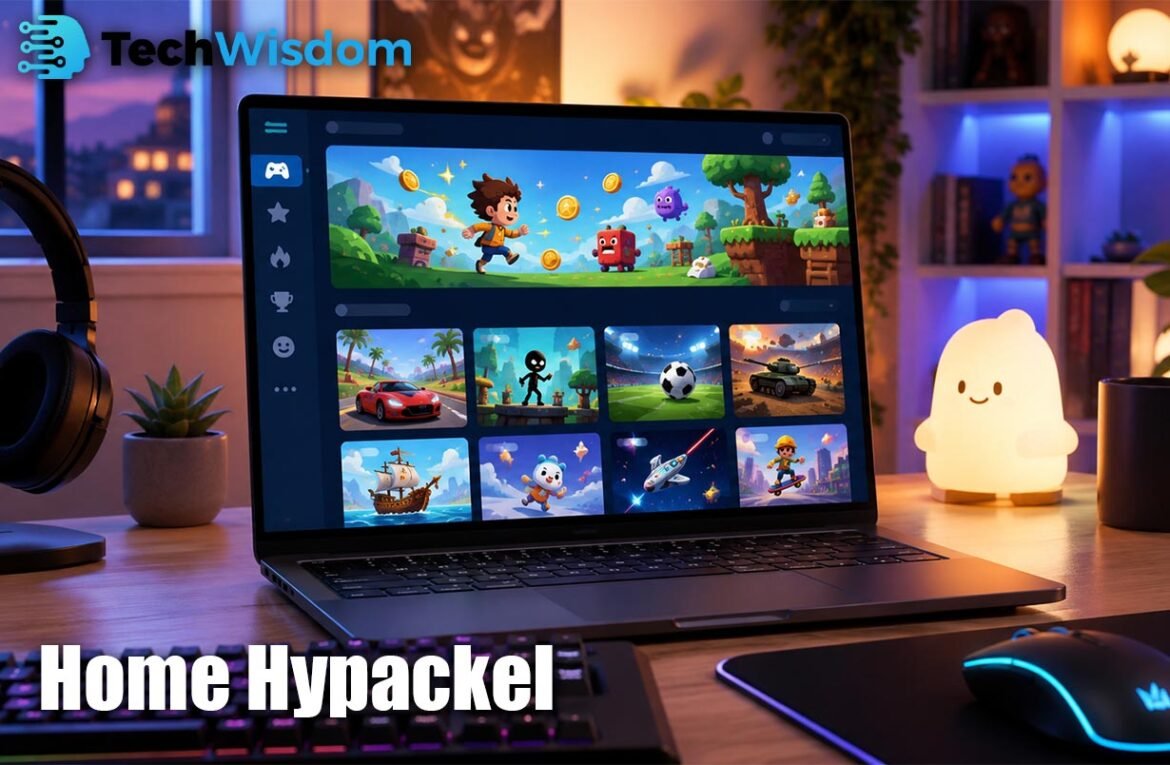
Home Hypackel is a browser-based gaming hub made for people who want quick and simple access to online games. It brings many game types into one place, so users can choose and start playing without a long setup. The platform is often linked with free and unblocked games, making it popular with students, casual players, and users on low-power devices. However, players should always use the correct website, follow local rules, and avoid unsafe downloads.
What Is Home Hypackel and How Does It Work?
The platform works like an online game library. Its main page may show game cards, popular titles, tools, and links to different categories. A player selects a game, waits for it to load, and then plays it inside the browser. Many titles use HTML5, JavaScript, or WebGL, which means they can run without a normal desktop installation.
Some versions of the service also include filters, “load more” buttons, community links, and simple display tools. Older Hypackel pages also showed a tab cloak option that could change a tab’s title or icon. This feature should not be used to hide gaming from teachers, parents, or employers.
What Games Can You Play on the Platform?
The game library may include action, racing, puzzle, sports, adventure, and multiplayer games. Older related libraries have shown titles such as 2048, 1v1.LOL, Subway Surfers, Cluster Rush, and Sonic Revert. The exact list can change because online games may be updated, moved, or removed by their hosts.
Puzzle games are useful for short breaks, while racing and action games offer faster play. Multiplayer titles let users compete with other players, but they may also include chat or contact with strangers. Younger users should check each game with a parent or guardian before playing online.
How to Find and Start Games on Home Hypackel
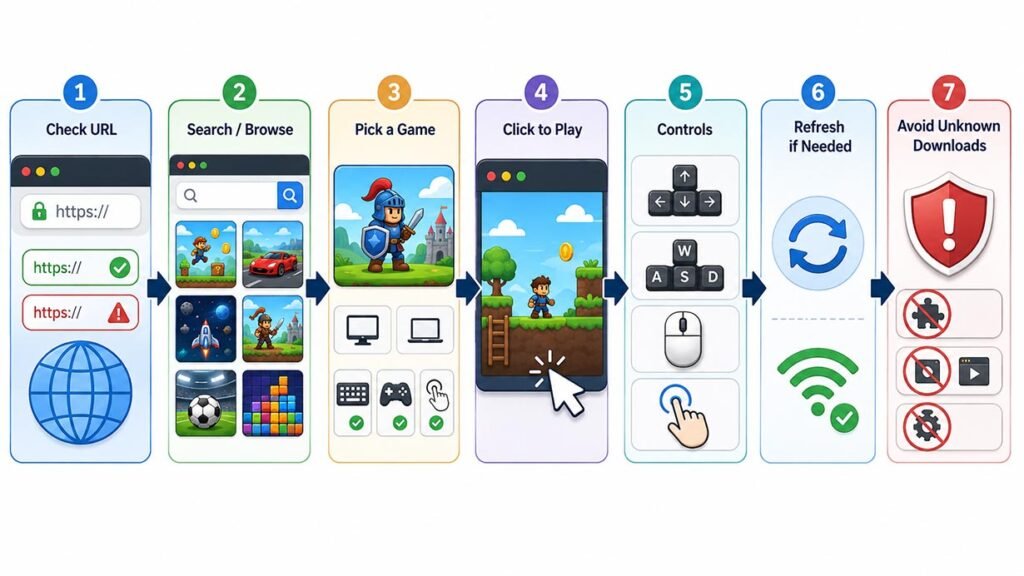
Start by checking the website address carefully. Several pages use the Hypackel name, but they may not have the same owner or safety rules. Once you reach the correct page, use the bar or browse the game cards. Choose a title that matches your device and control style.
After opening a game, click inside the game window before using the keyboard. Some titles need arrow keys, WASD, a mouse, or touch controls. If the game does not start, refresh the page once and check your internet connection. Avoid any page that asks you to install an unknown extension, player, or system update.
Does It Work on Chromebooks and Mobile Devices?
The gaming hub can work well on Chromebooks, Home Hypackel, laptops, desktop computers, tablets, and some mobile phones. Browser games are often a good match for Chromebooks because these devices are built around web access. Still, school-managed devices may block gaming pages, and users should not try to bypass those controls.
Mobile support depends on the game. Touch-based puzzle and casual games may work well on phones, but keyboard games can be difficult to control. For better performance, close unused tabs, update the browser, and use a stable internet connection. Advanced 3D games may need more memory and graphics power.
Is the Gaming Hub Free to Use?
Most Hypackel-style gaming pages present their games as free to play. Users can often open a title without paying an entry fee or creating an account. This makes the service easy to try, especially for people who only want a short gaming session.
Free access may still come with ads, tracking tools, sponsored links, or outside game hosts. Some games may also include paid items or links to other stores. Never enter payment details unless the website is trusted, the cost is clear, and an adult has approved the purchase when needed.
Is Home Hypackel Safe and Legit?
The service cannot be called fully safe in every case because several websites and copies use similar names. An older Hypackel GitHub page, Hypackel Lite, other gaming domains, and an app listing have all used related wording. This means users must judge the exact page instead of trusting the name alone.
Check for a clear privacy policy, secure browser connection, contact details, and normal page behavior. Leave the site if it shows fake virus alerts, forces a download, requests private details, or opens many unwanted pages. An updated browser and security software can also reduce common risks.
How to Fix Games That Will Not Load
A blank or frozen game can happen for many reasons. The original game host may be offline, the code may be old, or a school or work network may block required files. Browser extensions can also stop scripts, sounds, or game windows from loading.
First, refresh the page and try another modern browser. Then close extra tabs, clear only the site cache if needed, and check whether JavaScript is enabled. Do not turn off important security tools without understanding the risk. If one title stays broken, choose another game instead of downloading unknown files.
Privacy, Ads, and Download Risks
Before using the platform, think about what information the page may collect. Gaming websites can use cookies, analytics, IP addresses, browser details, and advertising trackers. Embedded games may also come from outside providers, so more than one company could receive basic usage data.
Do not share your home address, school name, private phone number, banking password, or identity documents. Browser notification access is usually not needed for gaming, so it is safer to refuse it. Private mode may hide local history, but it does not hide activity from the website, internet provider, school, or employer.
Best Ways to Use the Gaming Hub Responsibly
Use the gaming hub during approved free time and keep each session at a healthy length. Games should not replace sleep, study, exercise, work, or time with family. Taking short breaks can also reduce eye strain and help users stay focused.
Follow school, workplace, and family rules even when a page is technically available. Avoid tab-cloaking tools for hiding activity, and do not try to defeat network restrictions. Responsible use makes online gaming safer, fairer, and more enjoyable for everyone.
FAQs
Is Home Hypackel a game?
No. It is mainly a gaming hub or library that gives users access to many browser games.
Do I need to download anything?
Most games run inside the browser. Avoid unknown files, extensions, or fake update requests.
Can I use it on a Chromebook?
Yes, many titles may work on Chromebooks, but school controls and device limits can affect access.
Does it save game progress?
Some titles save progress in cookies or local storage. Clearing browser data may remove saved progress.
Is it suitable for children?
That depends on the game, ads, chat features, and website. Parents should check each title first.