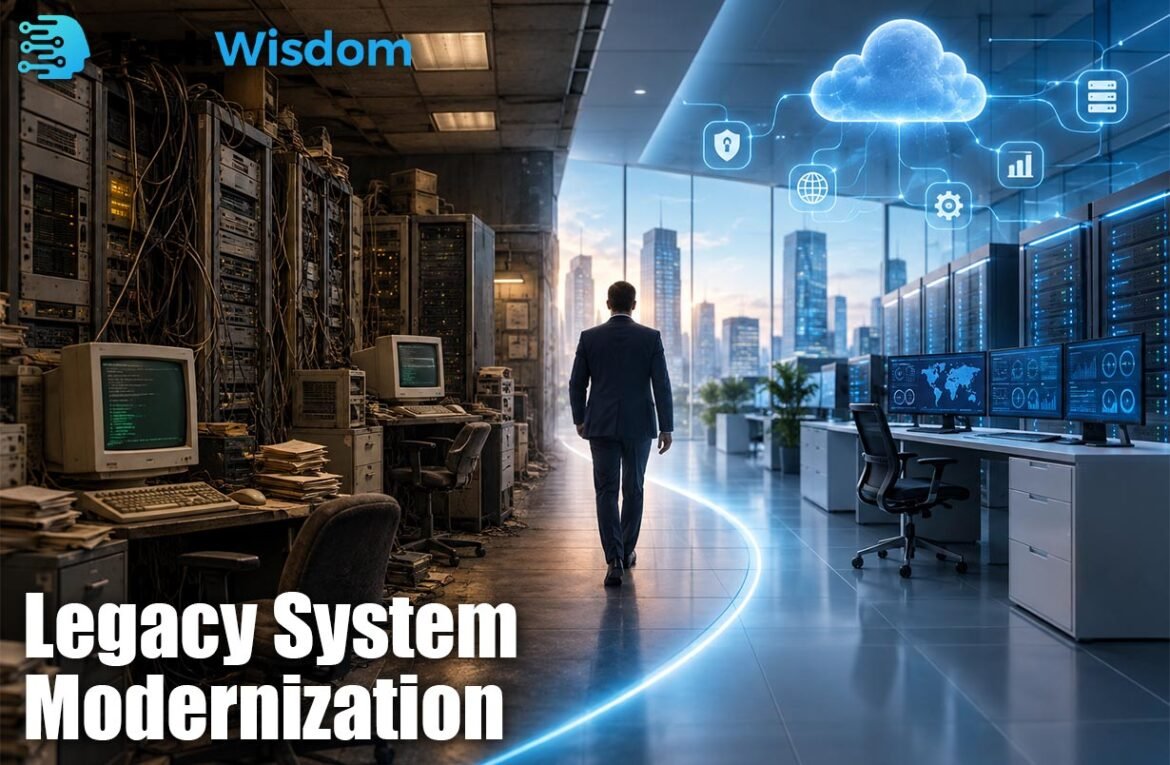
Legacy System Modernization helps companies improve old software, systems, and technology that can no longer support changing business needs. A legacy system may still work, but it can become costly, slow, difficult to update, or hard to connect with modern tools. Modernization allows a business to improve performance, security, flexibility, and access to data without always replacing everything at once.
What Legacy Systems Mean for Businesses
A legacy system is an older application, database, server, or technology platform that a company still uses for important work. It may support billing, customer records, inventory, finance, or internal operations. A system becomes a problem when it needs special skills, uses outdated technology, or cannot easily support new services.
Age alone does not make software useless. Some old systems are stable and reliable. The real issue is whether the system still meets business needs. If maintenance becomes expensive, updates take too long, security support ends, or integration becomes difficult, the company should review its future carefully.
Common Signs That a Legacy System Needs Modernization
Legacy System Modernization becomes important when an old platform starts slowing down normal business activity. Common warning signs include frequent downtime, high maintenance costs, unsupported software, poor mobile access, limited reporting, slow updates, and a shortage of developers who understand the system.
Another major sign is poor integration. Modern businesses often use cloud platforms, mobile apps, CRM tools, payment services, analytics software, and AI systems. If an old application cannot share data with these tools through secure APIs, employees may depend on manual work, duplicate data, or complex temporary solutions.
Why Modern Businesses Upgrade Legacy Systems
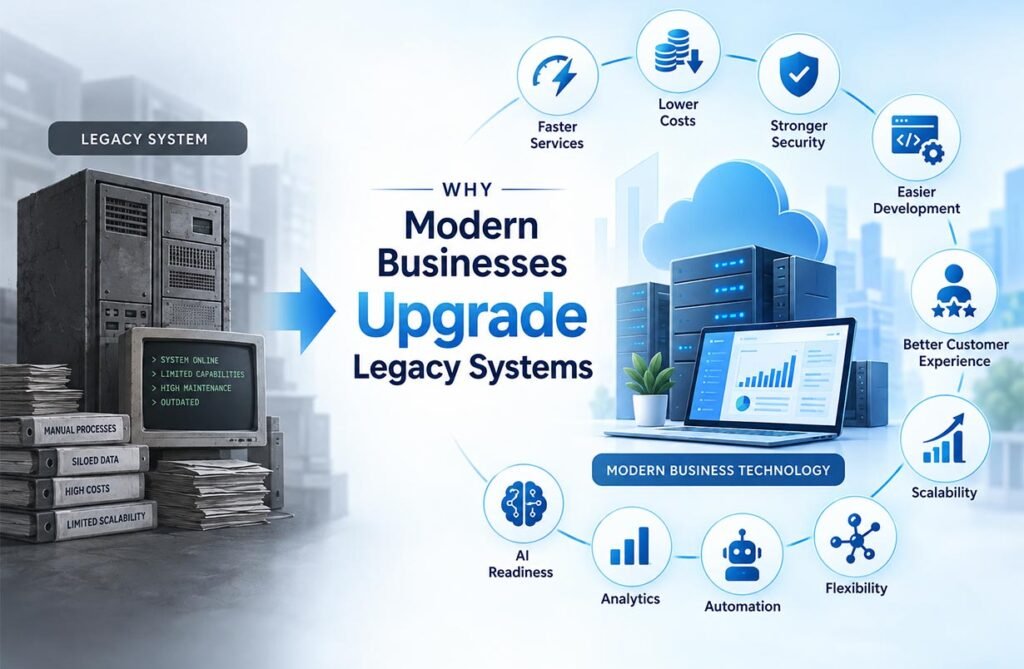
The main reason to modernize is not simply to own newer technology. A company should connect the project to clear business goals. These may include faster services, lower operating costs, stronger security, easier development, better customer experiences, or the ability to support more users.
Legacy System Modernization can also improve business flexibility. When a company can release updates faster, connect new services, and access reliable data, it can react more quickly to market changes. This is especially useful for companies that want to introduce digital services, automation, advanced analytics, or artificial intelligence.
Main Modernization Strategies
There are several ways to modernize an old system. Rehosting, often called “lift and shift,” moves an application to newer infrastructure with few code changes. Replatforming makes limited improvements during the move, such as using a managed database or a newer cloud service.
Refactoring improves the existing code, while rearchitecting changes the deeper structure of the application. A business may also rebuild the system, replace it with modern software, retire it if it is no longer needed, or retain it when the cost of change is higher than the expected benefit.
How to Choose the Right Modernization Approach
A good decision starts with an application assessment. The company should study the system’s business value, cost, security risks, technical condition, data, users, and connections with other applications. It should also identify which features are still useful and which ones no longer provide value.
Legacy System Modernization should not use the same strategy for every application. A simple internal tool may only need rehosting, while a customer-facing system may need major code and architecture changes. The best choice balances business value, technical risk, cost, project time, and expected long-term benefits.
Step-by-Step Modernization Process
The process should begin with clear goals. Teams should create a list of applications, databases, servers, users, and important dependencies. They should then identify problems, measure current costs and performance, and decide which systems have the highest business value or risk.
Next, the company selects a modernization strategy and creates a practical roadmap. A small proof of concept can test the plan before major changes begin. Development, data migration, security reviews, and testing should follow. The final steps include cutover, monitoring, user support, and continued optimization after the new environment goes live.
Role of Cloud, APIs, Containers, and Microservices
Cloud technology is often part of a modernization project because it provides flexible computing, storage, managed databases, monitoring, backup, and other services. However, moving an old application to a cloud server does not automatically solve every problem. The software may still keep its old design and technical limits.
APIs can help old and new systems exchange information. Containers create more consistent application environments, while microservices can separate large applications into smaller services. These technologies can improve flexibility and scaling, but they also add complexity. Businesses should use them only when they solve a real technical or business problem.
Common Challenges and Risks During Modernization
Modernization projects can fail when companies underestimate the old system. Important business rules may exist inside code that has little documentation. The original developers may no longer work for the company, and one application may depend on many databases, files, or other systems that are not easy to see.
Data migration is another major risk. Information must remain complete, accurate, secure, and available during the move. Businesses should use backups, testing, validation, and rollback plans. Staff training is also important because employees may need to learn new processes, interfaces, or tools after the modern system is introduced.
Cost, Security, and Performance Factors to Consider
Legacy System Modernization can require a large investment, so companies should compare project cost with the cost of keeping the old system. Existing costs may include hardware, software licenses, specialist staff, downtime, manual processes, security risks, and slow product development.
Security must be built into the project from the start. Modern systems should use strong access controls, encryption, monitoring, secure APIs, backups, and regular updates. Companies should also measure performance before and after the project. Useful measures include uptime, response time, deployment speed, maintenance hours, operating cost, and recovery time.
Best Practices for a Successful Modernization Project
Successful modernization begins with business needs, not with a popular technology. Companies should set measurable goals, understand application dependencies, protect important data, and divide large projects into smaller phases. Starting with lower-risk systems can help teams learn before they modernize critical platforms.
The modernization process should also continue after the first migration. Teams need to monitor cost, security, performance, and user experience over time. Regular reviews can prevent the new platform from becoming the next difficult legacy system. A strong modernization plan gives a business a technology foundation that is easier to change, maintain, and grow.
FAQs
What is the main purpose of modernizing a legacy system?
The main purpose is to make older technology safer, faster, easier to maintain, and better connected with modern business tools. It can also help reduce long-term operating problems.
Does every legacy system need to be replaced?
No. Some systems may only need small improvements, cloud migration, or better integration. A stable and low-cost system may even be kept if it still supports business needs.
What is the difference between rehosting and refactoring?
Rehosting moves an application to new infrastructure with few changes. Refactoring changes the code to improve performance, maintenance, or flexibility while keeping its main functions.
Is cloud migration the same as modernization?
No. Cloud migration mainly changes where an application runs. Modernization can also change its code, architecture, database, security, integrations, and development process.
What is the biggest risk in a modernization project?
One of the biggest risks is missing hidden dependencies between old systems. Data loss, downtime, weak testing, and poor planning can also cause serious problems during migration.