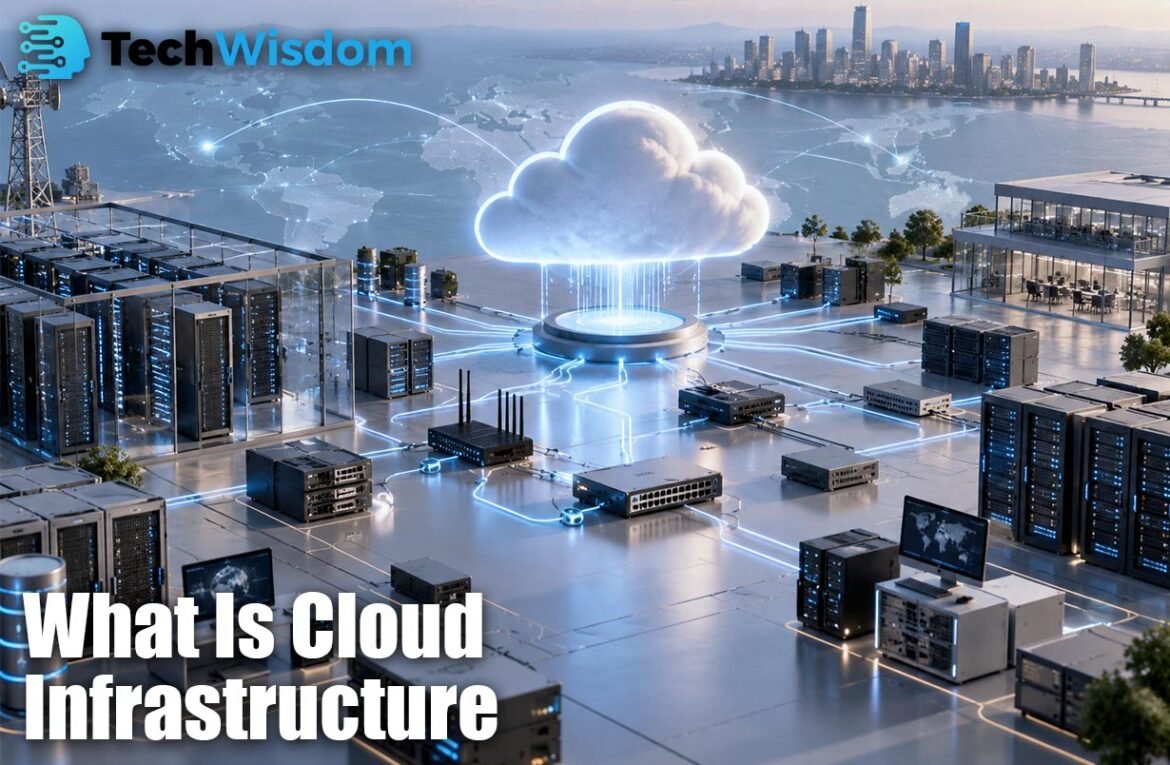
What Is Cloud Infrastructure is a common question for people learning about cloud computing. In simple terms, cloud infrastructure is the mix of servers, storage, networks, virtualization, and software tools used to deliver computing services through the internet. It allows businesses to run websites, apps, databases, and other systems without owning every physical machine. The cloud provider manages the main hardware, while customers use resources when they need them.
What Is Cloud Infrastructure?
To understand What Is Cloud Infrastructure, think of it as the technical base behind cloud services. It includes physical data centers, servers, storage devices, routers, switches, and software that controls these resources. Providers such as Amazon Web Services, Microsoft Azure, and Google Cloud use large data centers to provide computing power to customers around the world.
An abstraction layer turns physical hardware into flexible virtual resources. A business can create a virtual server, add storage, or build a private network without installing new hardware. This makes cloud infrastructure faster to set up and easier to change.
How Cloud Infrastructure Works
Cloud infrastructure pools physical resources and divides them into services users can access when required. A provider may run thousands of servers across data centers. Virtualization software divides these machines into smaller virtual environments, allowing many customers to share large hardware systems safely.
When a user opens a cloud-based website or app, the request moves through a network to the correct cloud service. A server processes the request, storage may provide needed data, and network systems send the result back. Monitoring, security, and automation tools help keep the service available and control how resources are used.
Main Components of Cloud Infrastructure
The main parts are compute, storage, networking, virtualization, security, and management software. Compute resources run applications and process data. Storage keeps files, databases, backups, and other information. Networking connects users, servers, and services. Virtualization makes physical hardware easier to share and manage.
Security tools protect accounts, systems, and data, while management platforms help teams watch performance and costs. These parts must work together because a failure in storage, networking, or security can affect the whole application.
Cloud Servers and Computing Resources
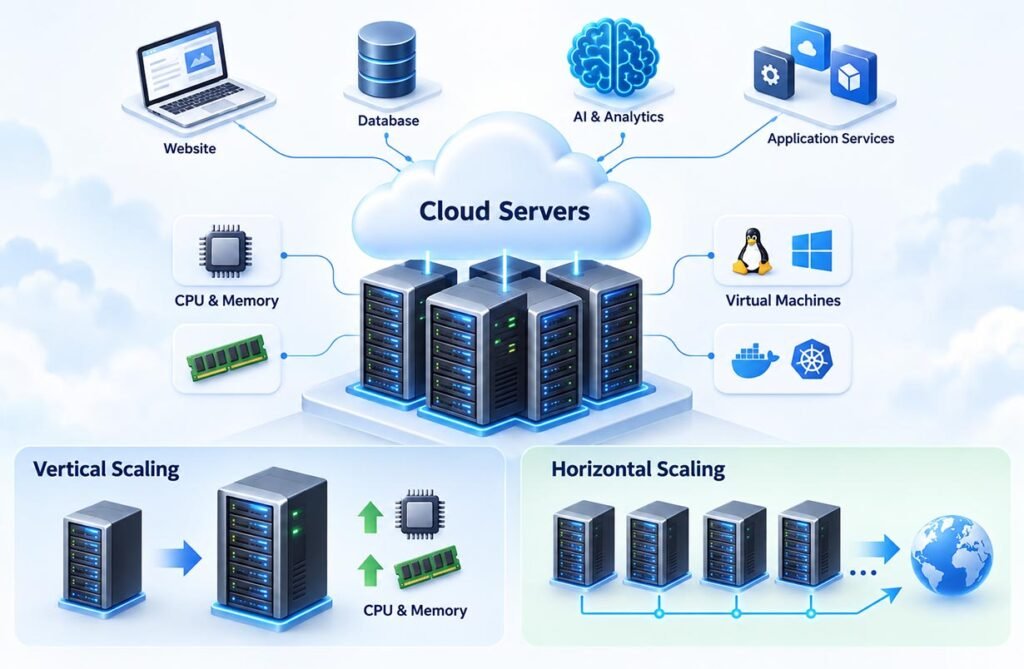
Servers are the computing engine of the cloud. They use processors, memory, operating systems, and software to run workloads. Cloud users can choose different server sizes based on the work they need to perform. A small website may need only a basic virtual machine, while an AI or analytics system may require much more processing power.
Cloud servers can also scale. Vertical scaling gives one server more CPU or memory. Horizontal scaling adds more servers to share the workload. This helps businesses handle changing traffic without buying new hardware each time demand rises.
Cloud Storage: Object, File and Block Storage
Storage is another key part of What Is Cloud Infrastructure because almost every digital service needs a place to keep data. Cloud storage can hold documents, images, videos, application files, backups, databases, and logs. Capacity can usually grow as data increases, which can reduce the need to buy storage hardware in advance.
There are three common types. Object storage is useful for images, videos, backups, and large data sets. File storage uses folders and files and works well for shared content. Block storage provides fast storage for virtual machines and databases. Each type is designed for different performance and access needs.
Cloud Networking and Virtual Networks
Cloud networking connects every part of the infrastructure. It includes IP addresses, virtual networks, subnets, routers, firewalls, DNS, load balancers, and private connections. These tools control how data moves between users, applications, storage systems, and other cloud services.
A virtual network lets a business create a private network inside the cloud. Teams can separate public services from private databases and control which systems can communicate. Load balancers can spread traffic across several servers, while firewalls can block unwanted connections. Good network design improves both performance and security.
Virtualization, Containers and Serverless Computing
Virtualization is one reason cloud infrastructure can be flexible. A hypervisor can divide one physical server into several virtual machines. Each virtual machine can run its own operating system and applications. This allows cloud providers to use physical hardware efficiently while giving customers separate computing environments.
Containers are lighter than full virtual machines and package an application with the files it needs. Kubernetes can help manage large groups of containers. Serverless computing goes further by letting developers run code without directly managing servers. Servers still exist, but the provider handles much of the setup, scaling, and maintenance.
Public, Private and Hybrid Cloud Infrastructure
A public cloud is operated by a cloud provider and serves many customers through shared infrastructure. A private cloud is built for one organization and can offer more direct control. A hybrid cloud connects private infrastructure with public cloud services, allowing data and applications to move between environments when needed.
Understanding these models is important when learning What Is Cloud Infrastructure because not every company uses the cloud in the same way. Some businesses prefer public cloud services for speed and flexibility, while others keep sensitive systems private. Hybrid cloud can offer a balance between control and access to scalable public resources.
Benefits and Challenges of Cloud Infrastructure
The main benefits include fast deployment, flexible scaling, global access, lower hardware responsibility, automation, and easier disaster recovery. A company can create new computing resources in minutes and increase or reduce capacity as demand changes. This can help teams launch products faster and avoid buying more hardware than they need.
There are also challenges. Cloud costs can grow if unused resources remain active. Security settings must be managed carefully, and complex environments can be difficult to control. Businesses also need good plans for backups, access permissions, data location, monitoring, and provider dependence. Cloud technology still requires strong technical management.
Cloud Infrastructure vs Traditional On-Premises Infrastructure
Traditional on-premises infrastructure is owned and managed by the business. The company buys servers, storage, networking equipment, and software. It also handles repairs, upgrades, power, cooling, and replacement. This can offer direct control but often needs more upfront investment.
Cloud infrastructure changes this model. The provider manages the main physical platform, while customers rent the resources they need. This explains cloud infrastructure in practical terms: organizations get computing, storage, and networking without building every part of the physical system. The best choice depends on cost, security, control, and performance.
FAQs
What is cloud infrastructure used for?
It is used to run websites, apps, databases, backups, analytics tools, AI systems, and business software through remote computing resources.
What are the main parts of cloud infrastructure?
The main parts are servers, storage, networks, virtualization, security tools, and management software.
Is cloud infrastructure the same as cloud computing?
No. Cloud infrastructure is the technical foundation. Cloud computing is the delivery of services that use that foundation.
What is the difference between public and private cloud?
A public cloud serves many customers on provider infrastructure, while a private cloud is designed for one organization.
Why do businesses use cloud infrastructure?
Businesses use it for scalability, faster deployment, flexible costs, remote access, automation, and easier management of computing resources.